
User groups
User groups are used to assign roles to users with similar rights. A user group is often a department or a function within an organization. For example, there can be a user group for purchasing or sales. A group can also refer to a more specific group within a department, such as the purchasing managers, or to a more generic group of users, like the managers from all departments or even all employees.
It is not uncommon to have different types of groups, with users being a member of multiple groups.
Create user groups
The User groups screen shows an overview of the available user groups. New user groups can be created by clicking the Add button in the ribbon or below the form.
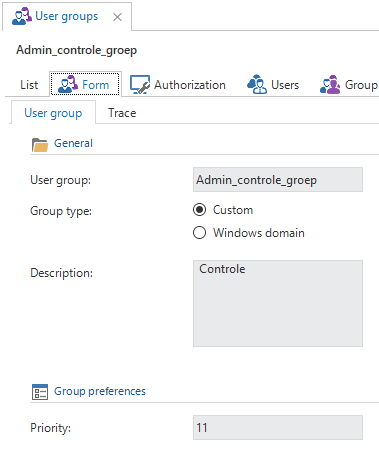
Different types of user groups are available:
Custom - The users of the user groups are administered via the Intelligent Application Manager
Windows domain - The users and groups are administered via the Windows domain (Active Directory).
After creating a Windows domain user group, execute the task Update Active Directory group to synchronize the users from Active Directory to the Intelligent Application Manager. Any users already linked to the group will be removed first.
To be able to use this functionality Ad Hoc Distributed Queries must be enabled on the IAM database.
Authorization
The Authorization tab page of the User groups screen shows an overview of all applications and their roles. To grant a user group access to an application, select the application from the list and check the roles of which this user group needs access on the right of the screen.
A checkbox next to the application indicates if any roles are assigned to the user group.
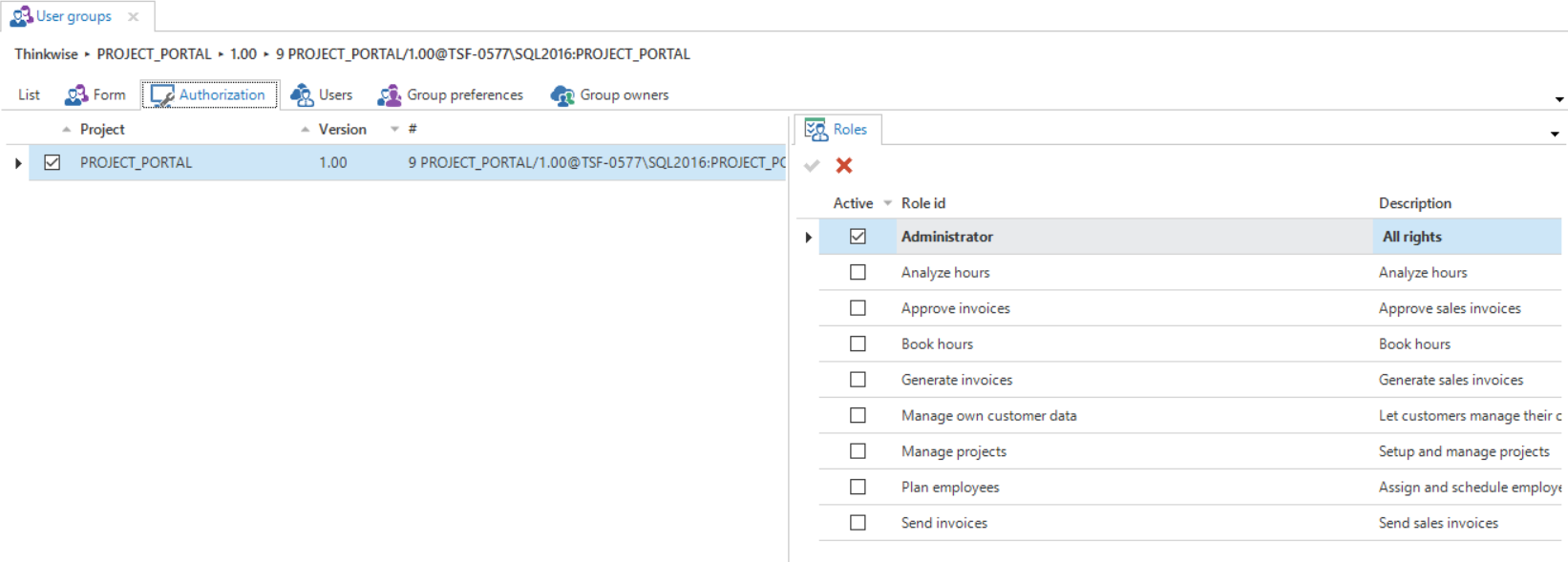 Linking roles to user groups
Users
The Users tab page shows a list of all users that are members of the selected user group. To create users, see users.
When adding a user to a group, it is possible to define the start and end date of the group membership. The user will only be granted the user group rights while the current date is within the membership period.
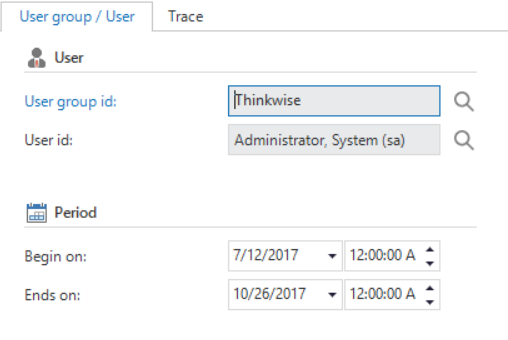 User group user
Group owners
Additional group owners, who can add existing users to a user group, can be added to a user group in the Group owners tab page.