
Design
Now that the business processes and requirements are complete, there is a clear overview of the processes to be developed. The translation of functional descriptions to the technical implementation is achieved through Design specifications. Where in the functional requirements terms such as table, column and button may not be used, the design specifications focus specifically on these items. The target group of design specifications is therefore developers. The design specifications constitute the actual to-do list for the developers.
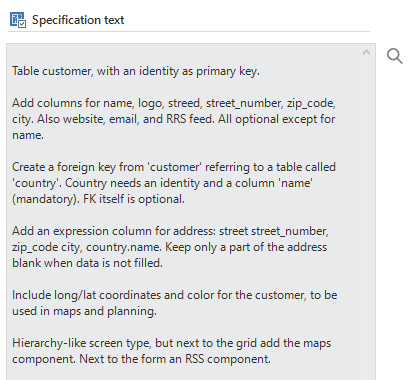 Specification text
Each of the paragraphs in the example above is a specification for the developer. These specifications often accompany a table or task. One or more system requirements can be linked to these specifications.
Setting up design specifications
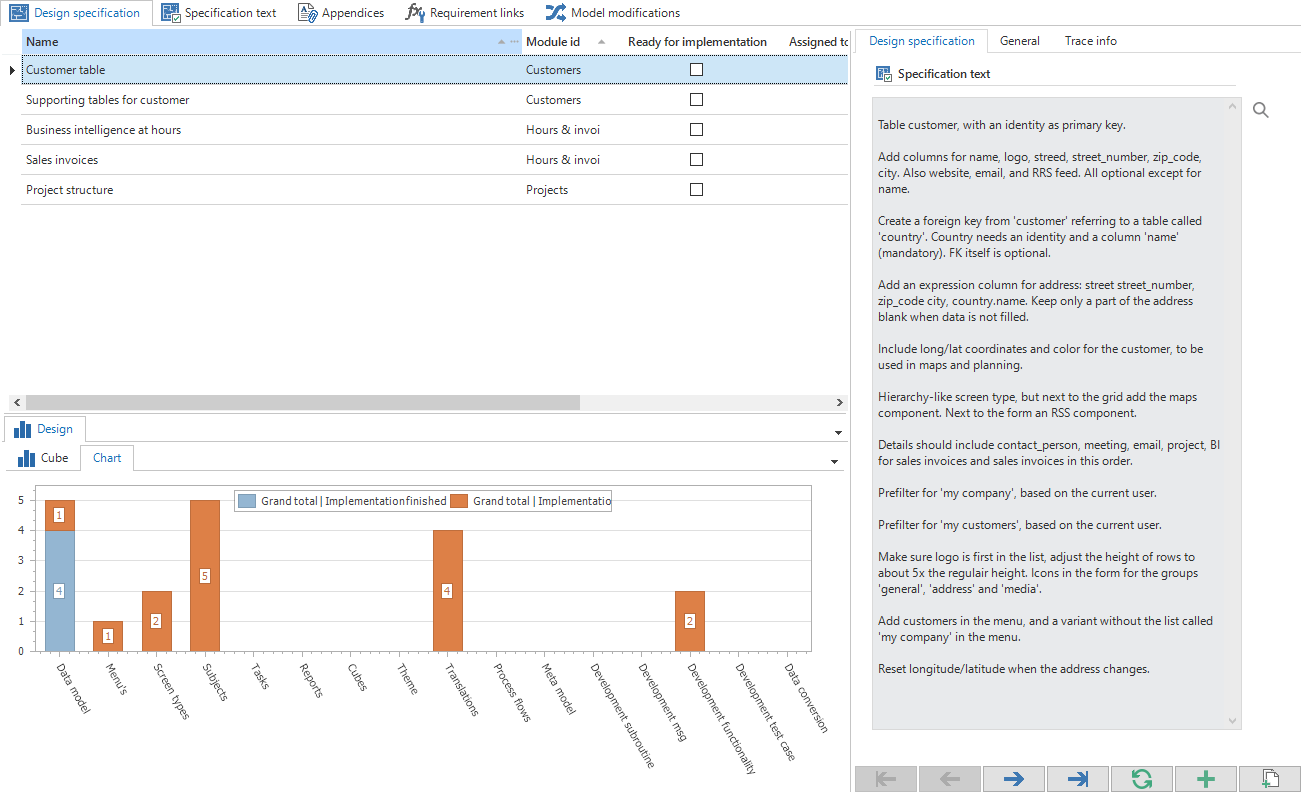 Design specifications
As can be seen in the above illustration, the design specifications can be specified on the Design specifications tab. The specification texts are presented in the form of paragraphs besides each of these specifications. These are therefore completed for each paragraph.
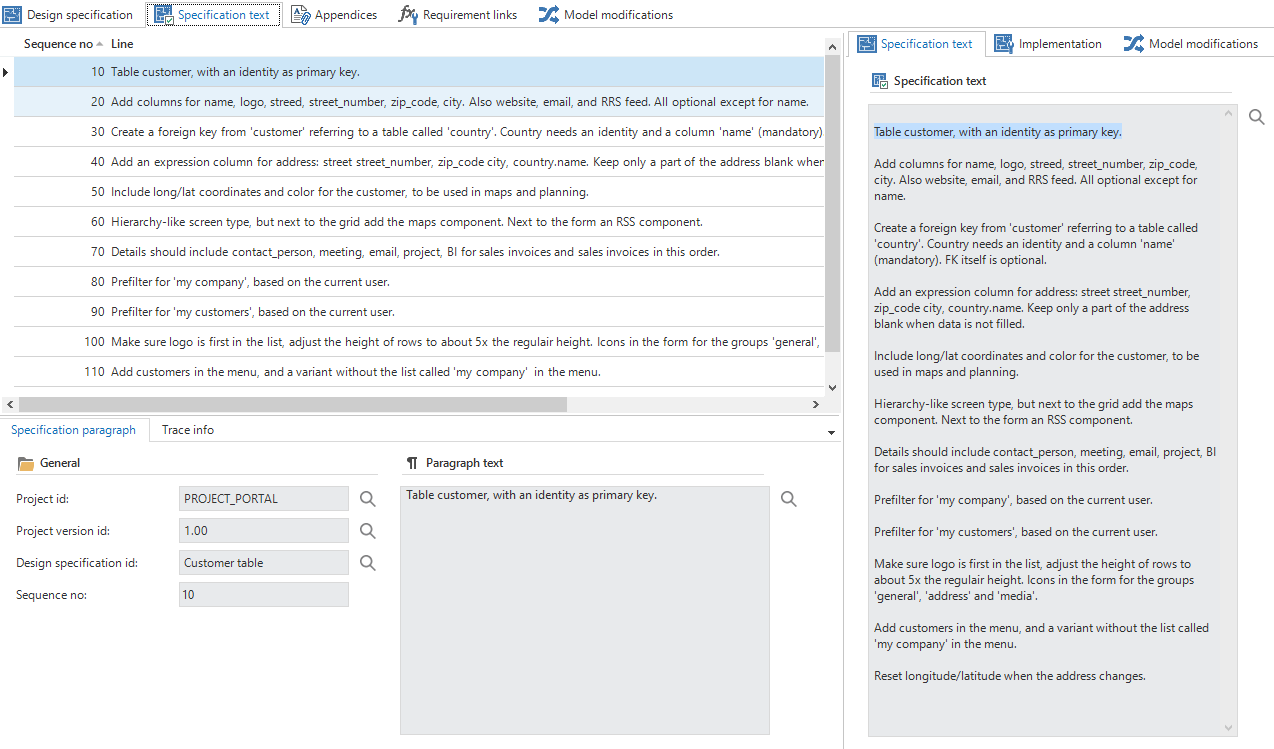 Specification texts
It can then be indicated on the Implementation tab where this specification must be made available. A specification can be displayed for a specific subject, including data modeling, process flows and translations.
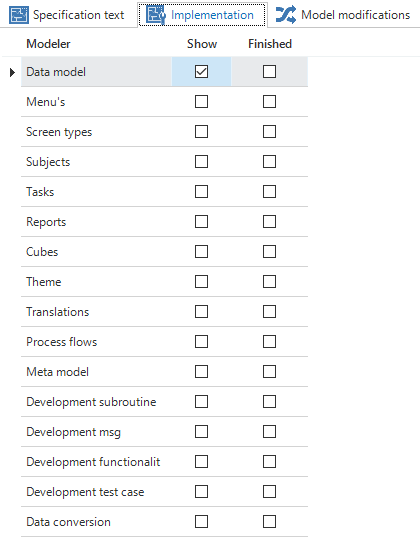 Design specification implementation
In addition, the system requirements can be linked to the design specification on the Requirement link tab.
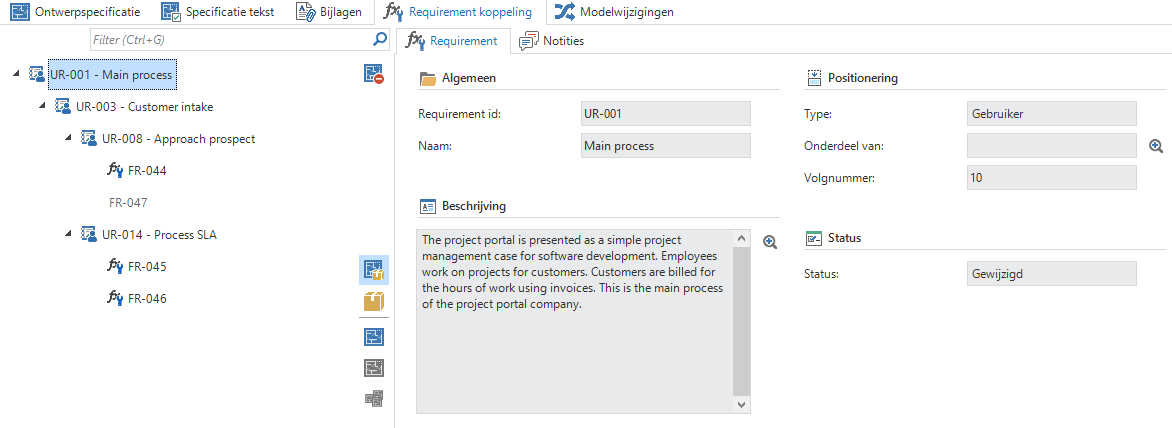 Requirement link
Design specification flow
When design specifications are created they can be submitted for review. They can be approved or disapproved. Notes can be added if a specification is disapproved. Once a design specification is approved, the specification can be released for implementation.
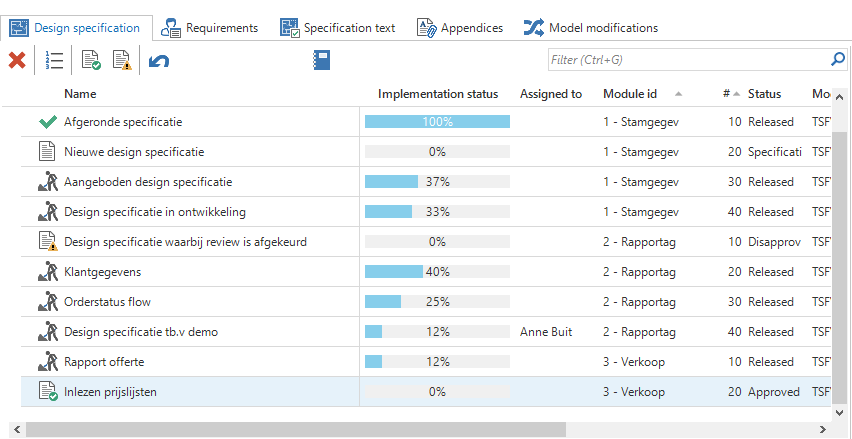 Design specification
Design specifications in modelers
The list with open design specifications can be seen in each modeler via the ribbon. This list can be used by the developers as a checklist during modeling and development. By opening the design console, the developer gets a complete overview of the open design specifications.
As soon as a design specification is selected, all additions and modifications that are done starting from that moment are linked to the design specification. When the requirements of the design specification are satisfied, these are reported as completed with the help of the check mark under the design specification name. The following design specification will then appear.
The registration of updates can be paused using the pause button.
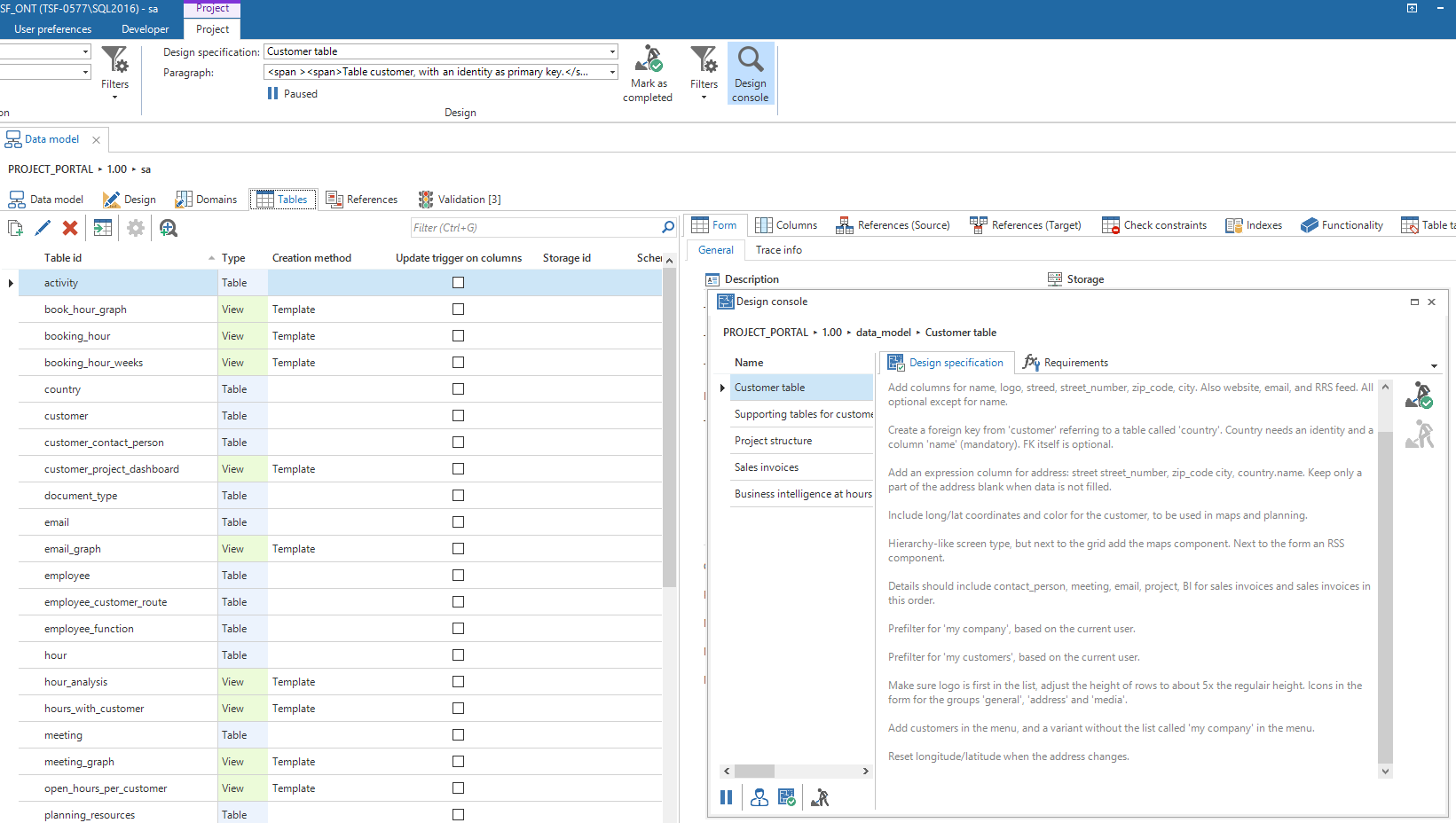 Design specifications in the Project ribbon tab page