
Runtime configurations
The Runtime configurations screen provides an overview of the available runtime configurations for the selected project.
A runtime configuration provides the environment in which an application is started, defined by the database server and database of the application. By specifying multiple runtime configurations, the same application can be started on multiple environments, for example for development and testing purposes. The runtime configuration to be used is specified in the configuration file.
Runtime configurations can have different extended properties and file storage locations than the default configuration. Settings that deviate from the default configuration are shown in bold.
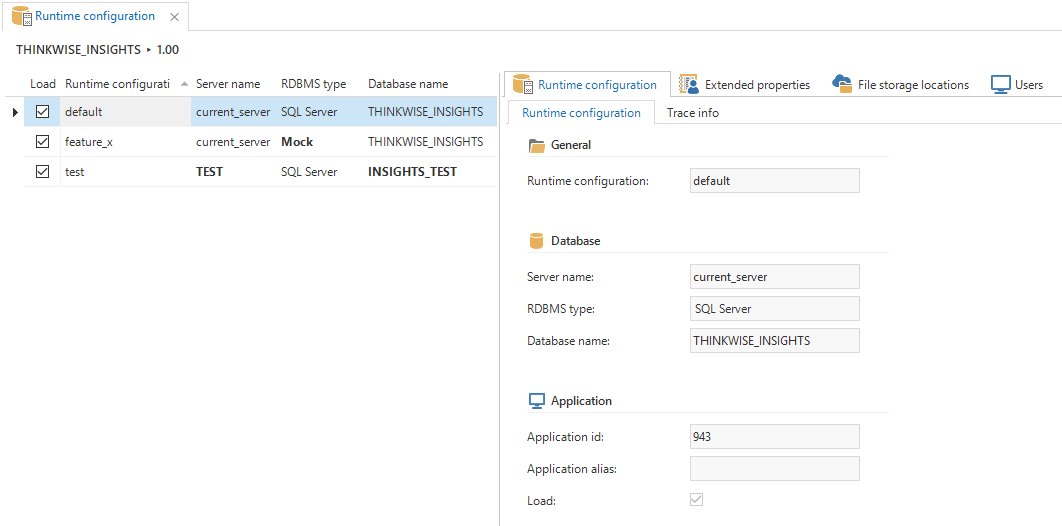 Runtime configuration overview
Application ID and Alias
The Windows, Web and Mobile user interface only load one runtime configuration. To connect to a 2018.3 Indicium application tier, the Mobile user interface needs to provide the Application ID or Application Alias of the runtime configuration:
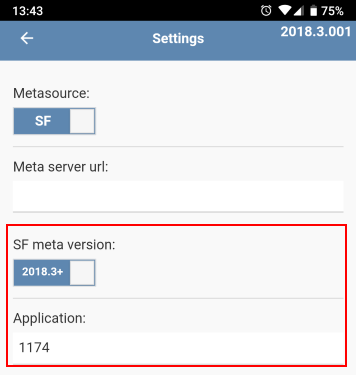 Setting the runtime configurations' application ID or alias
Active runtime configurations per user
For the Universal user interface and the Indicium application tier, runtime configurations need to be activated per user. The Universal user interface provides the option to switch between active runtime configurations using the application selector.
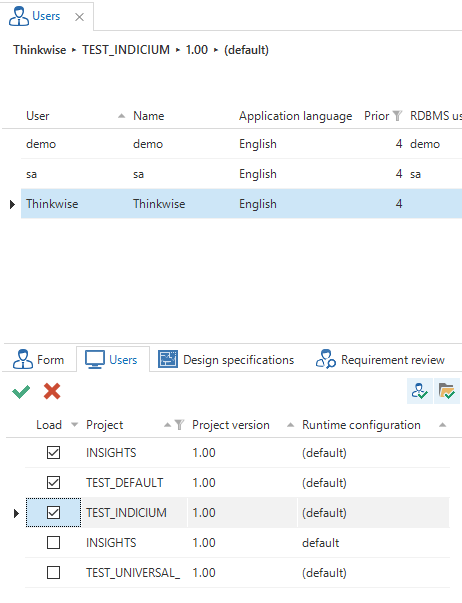 Active runtime configurations per user