
File storage
The Thinkwise Platform provides several options for storing files, like documents and photos, with your application.
File storage locations can be configured in the File storage locations tab page of the Overview screen. Four different file storage types are available:
- Azure files - Microsoft Azure file storage
- Database - Binary data in the database (BLOBs or SQL Server FileStreams)
- FTP - File Transfer Protocol
- File system - On the file system
File storage locations can be linked to domains with File, Image (including Signature) and Folder controls. All storage types except Database are specified as an additional subfolder within the file storage location per column. Thus, a column inherits the main storage location from its domain, but files can be stored in a subfolder by setting the subfolder column property.
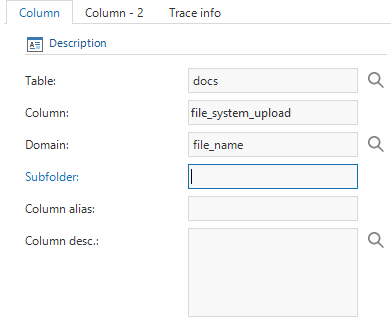 Subfolder column property
File storage types
Azure files
Azure files works with Microsofts Azure File Storage. Azure files has the same structure as any file system and allows for a nested folder hierarchy, i.e., https://storageaccount.file.core.windows.net/files/image/image.png
To create an account for Azure file storage, log in to https://portal.azure.com. Select the Storage Account service and add or use an existing storage account. To find the login settings to be used in the Software Factory, select the storage account and click on Access Keys. The storage account name and key 1 values need to be set within the Software Factory as Username / Account name and Password / Access token respectively.
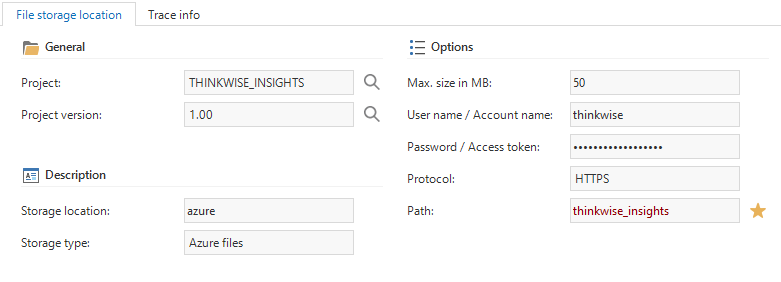 Azure storage location
Database
Database storage will store the data in a column on the database. Database storage needs two fields: a field to save the file name of the uploaded file, and a field to store the contents of the file. The storage column needs to be a large enough (unicode) text or binary field, for example nvarchar(max) or nvarbinary(max) on SQL Server.
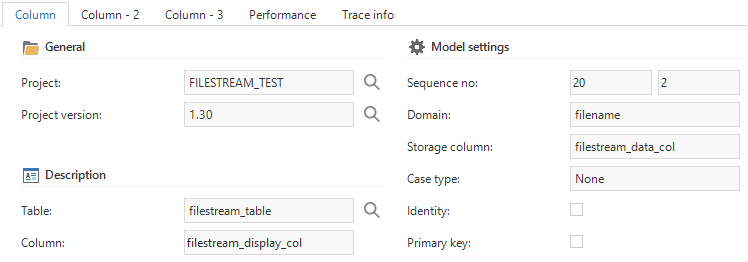 A database file column definition
SQL Server provides an additional way to store files in the database using FileStreams. To use filestream storage, the storage column needs to have a domain with datatype FILESTREAM. In addition, the database requires the table to have a ROWGUID column as well.
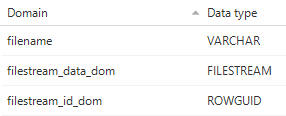 Required column datatypes for FileStreams
File system
File system storage stores the files in the specified path. The path property can either be a network location or a drive. Be aware that it must be a full (rooted) path, for example \networklocation\files\ or C:\files\ and that the location is accessible by the user interfaces or the Indicium application tier.
FTP
To use FTP storage, fill in the server name with the FTP server address, for example ftp://ftp.thinkwisesoftware.com. Notice that in contrast to File system storage, the Path property must be relative from the server address, for example files/.
Runtime configurations
It is possible to use different file storage locations for different runtime configurations. This allows you to, for instance, specify different locations for your development, test, acceptance and production environments. For more information, see runtime configurations.