
Work
Development teams can leverage Work to describe, plan and keep track of development activities.
A work item describes what changes to a model need to be done, be it new parts of a model, updates to a model or removing unused parts of the model. Additionally, work can be used to describe other development activities such as testing and deployment.
Links
Requirements generally lead to work. When a requirement is not yet implemented, work can be used to describe how the requirement will be implemented. When a requirement is changed, work can be used to describe the required changes in a model.
When a work item is linked to a requirement, it will be placed at the same business process, feature and iteration of this requirement by default. Moving the requirement to a different business process, feature or iteration will also update the linked work. The work will receive an icon indicating the link in each tree:  .
.
A work item can be explicitly assigned to a different business process, feature or iteration than the requirement. This exception will remain intact even when the requirement is moved to a different business process, feature or iteration. When a work item has a different assignment, the value will be highlighted and will recieve a different icon in the corresponding tree:  . Tasks are available to restore the business process, feature or iteration of the work item to match the requirement.
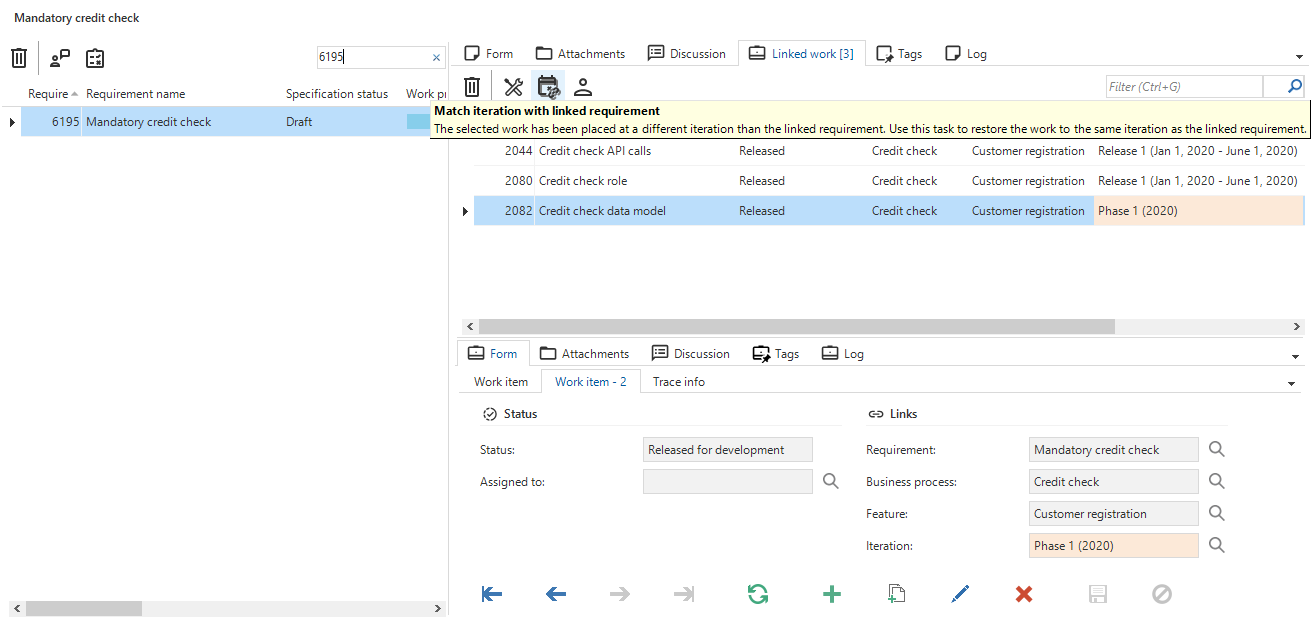 An example of a work item assigned to a different iteration than the requirement. The task can be used to quickly re-align the iteration with the requirement.
Work status
To keep track of the implementation progress, each work item has a Work status. The task  Move work status to state can be used to update the status of a work item.
The values for work status can be configured freely in the Advanced menu under Master data - Specification. An order number can be specified which decides the ordering of the various statuses in the combobox when changing the status.
Additionally, a Progress value can be defined for each status. This value will be used when determining the average progress of all work items linked to a requirement, business process, feature or iteration. Work having a status with no progress value will be excluded from this calculation.
One default status is required and can be set using the
Set as default status task.
A work status can be configured to correspond to a certain lane in the kanban board by specifying the Kanban sequence no. When left empty, work with this status will not show up in the kanban board.
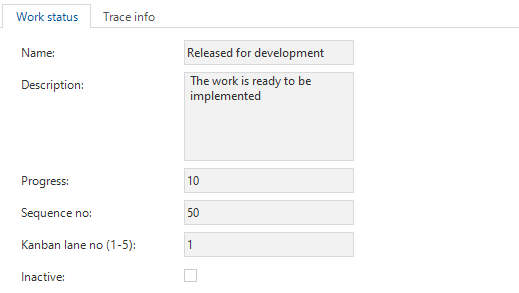 A configured work status
Tags
To quickly and freely categorize work, tags are available.
Attachments
Files can be uploaded as attachments to a work item.
Log
The work log records all changes to the links, title, description, status and attachments of a work item.