
Unit tests
A unit test is a way of testing an individual unit of software. A unit is the smallest piece of code that can be logically isolated in a system. The purpose is to validate that each unit of the software performs as designed. In most programming languages, that is a function, a subroutine or a method. In the Software Factory unit tests can be written for the following logic concepts:
- Defaults
- Layouts
- Contexts
- Badges
- Processes
- Tasks
- Triggers
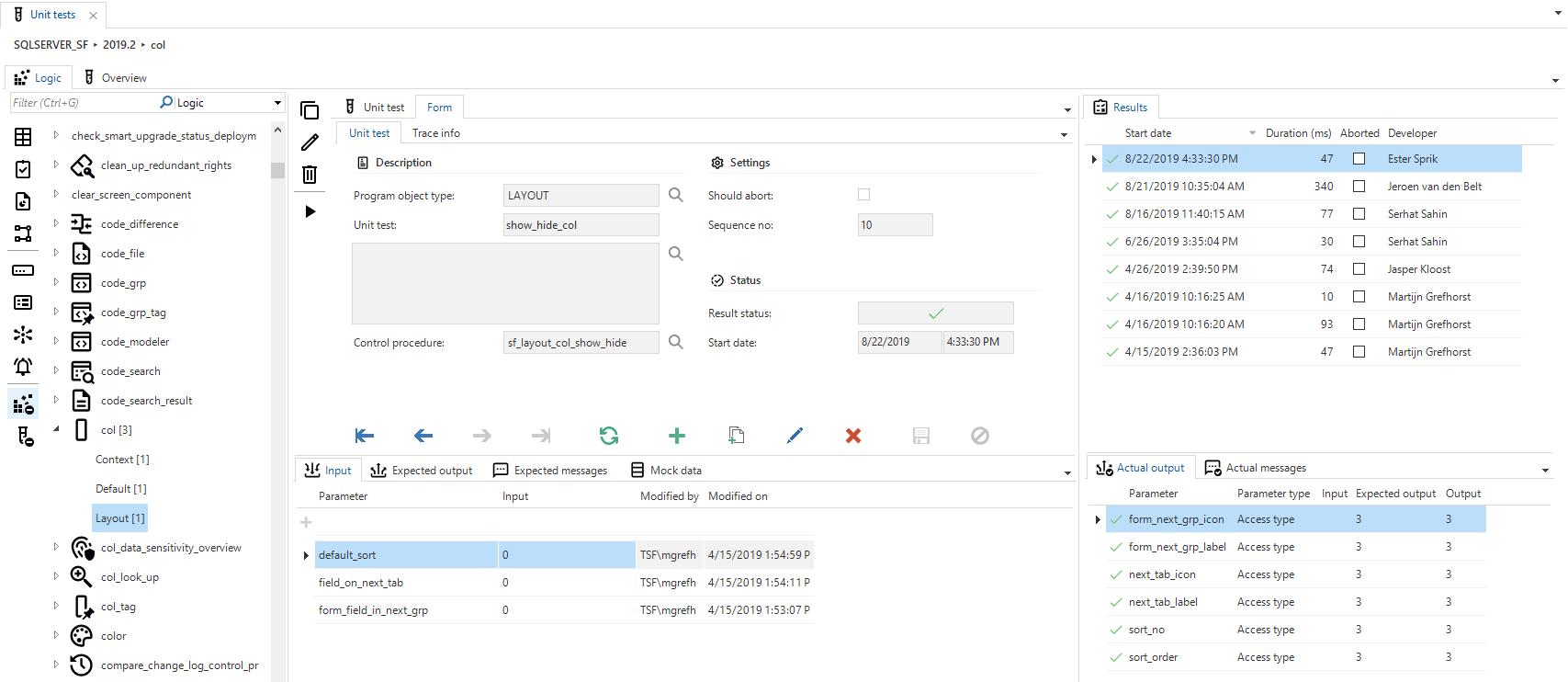
The image below shows the unit test screen. This is the place to create, maintain and execute unit tests.
 Unit tests
The list on the left shows all the objects for which unit tests can be created. Badges are used to show the amount of existing unit tests.
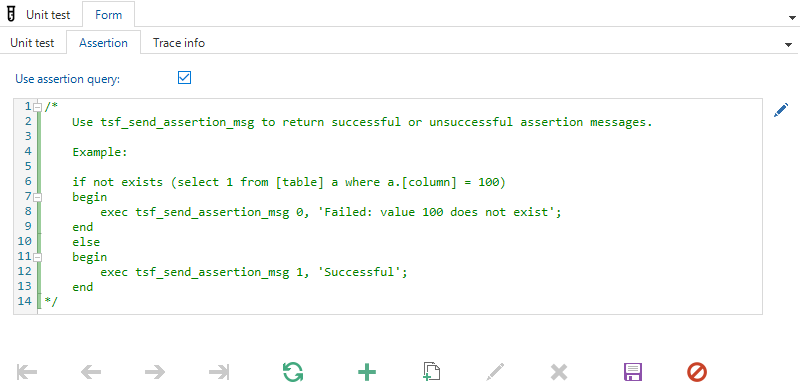
After selecting the correct object and logic type a unit test can be created. A title and description can be filled as well as if the unit test should succeed or not, with the Should abort checkbox. Certain unit tests (e.g., tasks and triggers) may require that the outcome of the unit test must be verified by queries, also known as assertions. When Use assertion query is checked, an assertion query field will appear. This field is filled with an example query by default, showing how the assertion result can be thrown when certain conditions are met.
 Assertion query
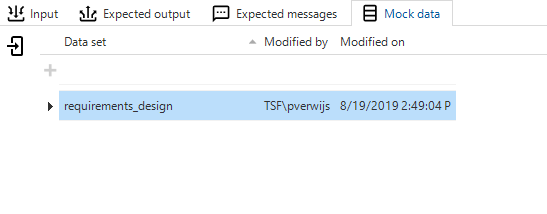
When a unit test is created, parameters can be added, for which a distinction is made between input, output and row filter. The row filters are used in the where clause when testing update or delete triggers. The output parameters will be checked after the unit test has been executed. In addition, the expected messages can be specified. These will also be checked after performing a unit test. When specific data is needed to meet certain conditions in the code, the best practice will be that the unit test doesn't rely on live data. Instead, data sets can be chosen as mock data, which will guarantee that the necessary data is present for the test.
 Mock data
The Overview tab page shows an overview of all unit tests for the selected project version. By selecting one or multiple rows the unit tests can be executed.
Functionality Modeler
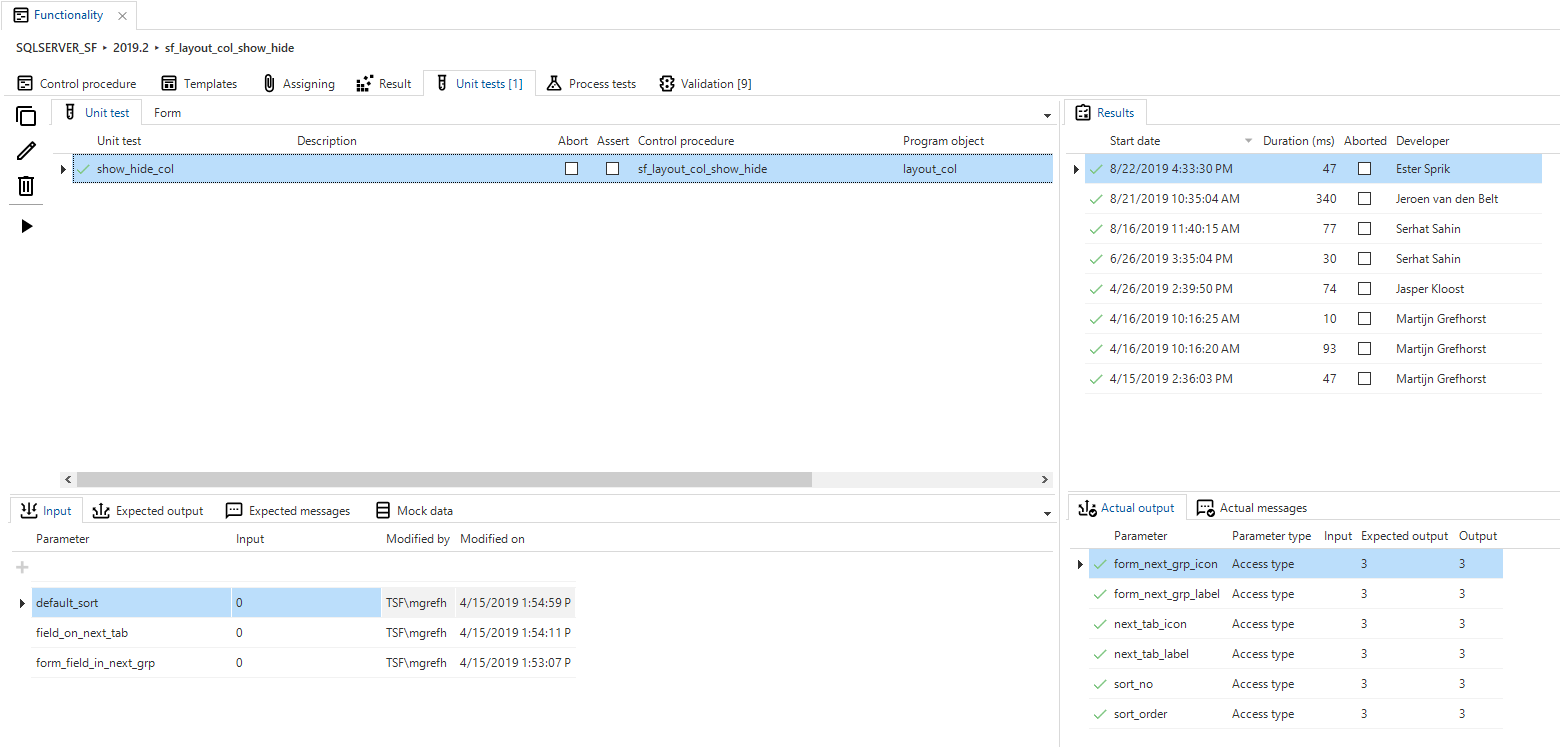
Unit tests can also be created, maintained or executed from the Functionality modeler.
 Unit test in functionality modeler
The list shows all the unit tests that are directly connected with the program objects on the result page. For example, when a default procedure is created for Employee to combine the first and last name to display name, the written unit test that validates the email address is also shown in the list.
Also, all unit tests are shown that have the selected control procedure linked as primarily.